Building a high concurrency student course selection system
Intro
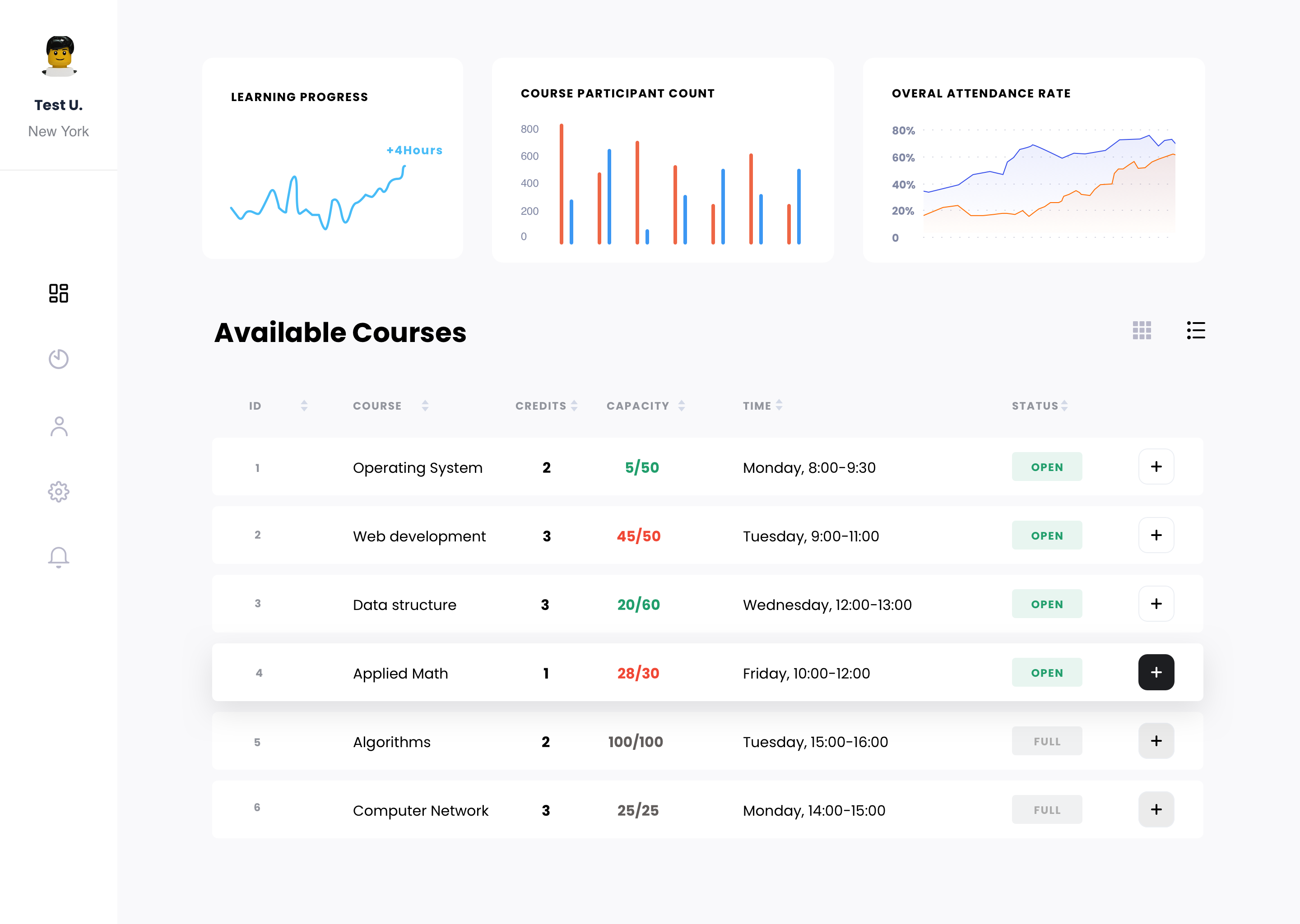
Remember those days when your school system suck so much that you can never pick the course you want? Well, those days are no more. After learning how to design a high concurrency student course selection system. You can make it so that everyone can pick their class in the most fair way possible.
Technology
Node.js, Postgresql, Redis, RabbitMQ
Database design
The first step of building a great system is great data modelling and subsequently a great database design. All following database schema was created in Prisma schema format.
Suppose you are in a school, some common entites in the school are teachers, students, courses, classes. So here we have
model Teacher {

 id

 String

 @id @default(dbgenerated("uuid_generate_v4()")) @db.Uuid

 idNumber

 String

 @unique

 name

 String

 gender

 String

 phoneNumber

String

 @unique

 email

String

 @unique

 passwordHash String

 age

Int

 jobTitle

 String

 departmentId String

 @db.Uuid

 department

 Department @relation(fields: [departmentId], references: [id])

 courses

Course[]

enrolledAt

DateTime

 createdAt

 DateTime

@default(dbgenerated("now()"))

 updatedAt

 DateTime

@default(dbgenerated("now()")) @updatedAt

 deletedAt

 DateTime?

 courseClass CourseClass[]

@@index([idNumber])

 @@index([name])

 @@index([email])

 @@index([phoneNumber]) }
Teachers, who are employees at school, who have jobTitle, email, department and teach some classes.
model Student {

 id

String

 @id @default(dbgenerated("uuid_generate_v4()")) @db.Uuid

 idNumber

String

 @unique

 name

String

 gender

String

 phoneNumber

 String

 @unique

 email

 String

 @unique

 passwordHash

String

 age

 Int

 departmentId

String

 @db.Uuid

 department

Department

 @relation(fields: [departmentId], references: [id])

 courseClasses StudentCourseClass[]

 subjects

StudentSubject[]

enrolledAt DateTime

 createdAt

DateTime

@default(dbgenerated("now()"))

 updatedAt

DateTime

@default(dbgenerated("now()")) @updatedAt

 deletedAt

DateTime?

@@index([idNumber])

 @@index([name])

 @@index([email])

 @@index([phoneNumber]) }
Students, who study at school, have id number, and take some classes. Majoring some subjects and might minor some other subjects.
model Department {

 id

 String

@id @default(dbgenerated("uuid_generate_v4()")) @db.Uuid

 name

 String

@unique

 students Student[]

 teachers Teacher[]

createdAt DateTime

@default(dbgenerated("now()"))

 updatedAt DateTime

@default(dbgenerated("now()")) @updatedAt

 deletedAt DateTime? }
Departments, which consist of students and teachers, also have unique names.
model Course {

 id

 String

 @id @default(dbgenerated("uuid_generate_v4()")) @db.Uuid

 name

 String

 credit

 Int

 courseClasses

CourseClass[]

 courseCategories

 CourseCategory[]

 type

 CourseType

 @default(PUBLIC)

 selectableSubjects Subject[]

createdAt DateTime

@default(dbgenerated("now()"))

 updatedAt DateTime

@default(dbgenerated("now()")) @updatedAt

 deletedAt DateTime?

@@index([name]) }

enum CourseType {

 PUBLIC

 MAJOR_LIMITED }

model CourseCategory {

 id

String

 @id @default(dbgenerated("uuid_generate_v4()")) @db.Uuid

 name

String

 courses Course[]

createdAt DateTime

@default(dbgenerated("now()"))

 updatedAt DateTime

@default(dbgenerated("now()")) @updatedAt

 deletedAt DateTime?

 @@index([name]) }
Courses, which have names, credits and can be divided into many categories, also a same course can have multiple courseClasses, taught by different teachers. Also there can be different types of courses, ones that can be select by everyone and ones that can only be selected by students of certain subjects.
model Subject {

 id

String

 @id @default(dbgenerated("uuid_generate_v4()")) @db.Uuid

 name

String

 @unique

 courses

 Course[]

 students

StudentSubject[]

 departments Department[]

 teachers

Teacher[]

createdAt DateTime

@default(dbgenerated("now()"))

 updatedAt DateTime

@default(dbgenerated("now()")) @updatedAt

 deletedAt DateTime? }

model StudentSubject {

 studentId String

@db.Uuid

 subjectId String

@db.Uuid

 student

 Student @relation(fields: [studentId], references: [id])

 subject

 Subject @relation(fields: [subjectId], references: [id])

isMajor Boolean @default(true)

@@id([studentId, subjectId]) }
Subjects, which are chosen by students when enrolled. Multiple teachers can teach same subject. Student can major them or minor them, identified by isMajor column in relation table StudentSubject.
model CourseClass {

 id

String

 @id @default(dbgenerated("uuid_generate_v4()")) @db.Uuid

 name

String

 course

Course

 @relation(fields: [courseId], references: [id])

 courseId

String

 @db.Uuid

 capacity

Int

 time

String

 location

String

 status

CourseClassStatus

@default(NEW)

 teacher

 Teacher

@relation(fields: [teacherId], references: [id])

 teacherId String

 @db.Uuid

 students

StudentCourseClass[]

createdAt DateTime

@default(dbgenerated("now()"))

 updatedAt DateTime

@default(dbgenerated("now()")) @updatedAt

 deletedAt DateTime?

@@index([name]) }

enum CourseClassStatus {

 NEW

 OPEN

 CONFIRMED

 CANCELED }
CourseClasses, which are instances of classes for a certain course. They should have time, name, location and can have 1 teacher and many students. The number of students it can hold are indicated by capacity and it should have four statuses:
-
NEW means this course class is newly created, should only be visible to admin.
-
OPEN means this course class is open to be selected, all students who met the requirement of course should be able to see it.
-
CONFIRMED means this course class have all the students it needed and will take place in the future.
-
CANCELED means this course class might have too few students, therefore it's canceled.
model StudentCourseClass {

 student

 Student

 @relation(fields: [studentId], references: [id])

 studentId

 String

@db.Uuid

 courseClass

 CourseClass

 @relation(fields: [courseClassId], references: [id])

 courseClassId String

@db.Uuid

 status

SelectionStatus @default(SELECTED)

 selectedAt

DateTime

@default(dbgenerated("now()"))

@@id([studentId, courseClassId]) }

enum SelectionStatus {

 SELECTED

 CANCELED }
As for the actual course class selection phase, we need a status to indicate the status of the selection to avoid abuse of the system in the form of SELECTED and CANCELED, if student have more than 3 classes canceled at the same day, we might pose some punishment for this particular student.
Business Scenarios
Preparation for course selection
Admin will first need to create new course classes from courses, filling a form about the course classes including name, location, time, capacities of the class, also assign the teacher of this class.
After creation, admin can setup the start end time when all classes are available to be selected, which can be cancelled at any time before the actual selection begins.
Course Selection
At the beginning of the course selection, students would be waiting in the lobby, waiting for course selection begin countdown.
After count down runs out, the page would automatically refresh, loading all course classes that are available to the student.
After click on the pick button, students will be prompted a modal, to see if student is going to confirm selecting this course class.
After student confirms, the course class status in the list would become SELECTED, and capacity would go up by 1.
Student can cancel courses after selection a course class by click on CANCEL button.
After three cancellations in the same day, student would not be able to cancel selection.
Course Selection Finished
After course selection time ends, student would not be able to see course list. But they should be able to see list of course they selected.
Admin should be able to see the overall selection result of each class, including class participants, and can make adjustments on the selection result.
Admin can also cancel course class if the select count is too low.
Key implementation
Preparation for course selection
Things to do before task selection:
-
Use timed background worker jobs to open up course selection.
-
Cache warm-up
-
Random token for course information requests to avoid people from requesting before selection starts
-
API gateway rate-limit
Setup redis and background jobs
Here we use bull for timed background jobs.
Admin will use UI to set a start, end time for course class selection.
First we store studentCouseClassBegin and studentCouseClassEnd keys with value of start end time into Redis. We then use bull to create a new queue named CoureSelectionQueue,
add a
task to remove the key from Redis at end time.
When user request for available course list, we check the Redis for studentCouseClassBegin and studentCouseClassEnd, depending on the result, we can have 4 type of response.
-
No keys, we can return
Course selection not available. -
Current time <
studentCouseClassBegin, returnxxx mintues before course selection begins, admin can call cancel option, which would remove both keys from Redis and remove the task frombullqueue. -
studentCouseClassBegin< Current time <studentCouseClassEnd, we returnxxx minutes before course selection ends. -
Current time
studentCouseClassEnd, we returnCouse selection have ended.
Cache warm-up
Before course selection begins, we need to warm it up to avoid scenarios where too many people are requesting at the same time and due to cache is mostly empty, most of requests would hit our api server and database, causing cache breakdown, cache penetration and even cache avalanche.
To warm-up the the cache, first we need to know what to cache. Based on our database model, we need to:
-
Get information about course class and teacher by id
-
Generate a random uuid as token for request.
-
Use
redis-semaphoreto generate a distributed semaphore, the key of semaphore is generated token and value is the capacity for a certain course class.
We use hashes to store the information. For each course class, key is course class id, value is nested course class information read from db and the random token in json form.
We also use the same token for key of semaphore we mentioned before and course capacity as its value.
This combo stores all the information we need before querying and actually selecting course classes.
Course Selection
We then need to store the StudentCourseClass information, with key of couseClass Id
studentIdvalue is the selection status.
Select
To prevent malicious request(by bot or script), api would only send out token after course selection begins. Without token, api would invalidate the request instantly. Also the value inside Redis is tightly coupled with token, so api can only find the data within Redis if it has the correct token.
Considering there might be multiple instances of api, we only want data be cached into Redis once, We will need to check if data already exist inside cache as well as adding mutex lock using redis-semaphore.
-
Student selecting a course, we will need capacha to filter bots and reduce the peak of request count.
-
After request hits api, there should be a set of request validation, including whether user is authenticated,
capacha, random token and if this student have already selected this class.
-
If request is valid, we use
acquire()function to try to reduce the capacity of this course class. -
After reduction success, we will need to read and update course information from Redis. Then we need to generate a course selection data, write it to message queue.
Cancel
Basically the same as the select, after request validation, we would just release 1 semaphore based on the token.
Message queue
After request hit the message queue. There's still a lot going on.
We will need one exchange and a queue for rabbitmq, also an api route that listens on the queue. When the route receives message from message queue, it will then update the information to database and then send ack to message queue.
We also needed to ensure the reliability of message queue.
-
Message loss:
-
Message didn't reach broker: before sending message, store message information to Redis, and remove it once we received confirm from broker. Also we need to resend message inside Redis with a maximum of 3 times. If message failed to send for more than 3 times. we need manual intervention.
-
ack didn't reach broker: retry 3 times, then manual intervention.
-
Message duplication: since we have message retries, there could be message duplication. We need to make sure the operation on the receiving api is Idempotent.
-
Message backlog: Using dedicated message queue service, Persist all messages into database and process them later.
Ending
At this point, our high concurrency course selection system has been finished. Under high concurrency, our selection and cancel api only have a few Redis IOs and negligible cost of sending message to message queue. The response time is very short, which is enough to achieve high concurrency.
The main reason for the good performance of this api is due to the asynchronous implementation of the message queue. Database operations that might have taken a long time is replaced by sending a message, which would only take a few milliseconds.
Share this article
Reactions